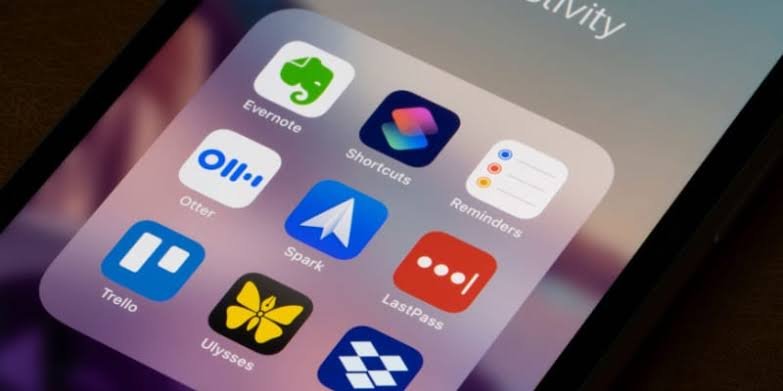
In today’s fast-paced digital world, staying productive is more important than ever. Whether you are a student managing assignments and exams or a professional handling multiple projects and deadlines, productivity apps can help you stay organized, focused, and efficient. These tools are designed to simplify task management, improve collaboration, reduce distractions, and enhance overall performance.
With thousands of applications available across different platforms, choosing the right productivity tools can be challenging. This guide explores some of the best productivity apps for students and professionals, highlighting their features, benefits, and ideal use cases.
Why Productivity Apps Matter
Productivity apps help users manage their time, organize tasks, and streamline workflows. Instead of relying on paper notes or memory, individuals can use digital tools to keep track of responsibilities and goals.
The benefits of productivity apps include:
- Better time management
- Improved organization
- Enhanced focus and concentration
- Easier collaboration
- Increased efficiency
- Reduced stress from missed deadlines
By using the right apps, students and professionals can maximize their productivity and achieve better results.
Features to Look for in a Productivity App
Not all productivity apps offer the same functionality. Before selecting a tool, it is important to consider the features that align with your needs.
Task Management
A good productivity app should allow users to create, organize, and prioritize tasks efficiently.
Cloud Synchronization
Cloud-based access ensures that files, notes, and tasks are available across multiple devices.
Collaboration Tools
For group projects and workplace teamwork, collaboration features are essential.
Reminder and Notification Systems
Timely reminders help users stay on top of deadlines and important events.
User-Friendly Interface
A simple and intuitive design improves usability and encourages consistent use.
Notion: The All-in-One Workspace
Notion has become one of the most popular productivity platforms for students and professionals.
Key Features
- Note-taking capabilities
- Task management tools
- Project planning templates
- Knowledge databases
- Team collaboration options
Benefits for Students
Students can use Notion to organize lecture notes, create study schedules, manage assignments, and track academic goals.
Benefits for Professionals
Professionals can manage projects, document workflows, coordinate teams, and store important information in a centralized workspace.
Microsoft OneNote for Organized Note-Taking
OneNote is a versatile note-taking application that allows users to capture and organize information efficiently.
Why Students Love OneNote
Students can create digital notebooks for different subjects, insert multimedia content, and sync notes across devices.
Professional Applications
Business users often use OneNote for meeting notes, brainstorming sessions, and project documentation.
Key Advantages
- Flexible note organization
- Cross-device synchronization
- Handwriting support
- Multimedia integration
Todoist for Task Management
Todoist is one of the most effective task management applications available today.
Core Features
- Task creation and categorization
- Priority settings
- Deadline tracking
- Recurring tasks
- Productivity reports
How It Helps Students
Students can manage coursework, assignments, exam schedules, and personal goals from a single platform.
Professional Benefits
Professionals can organize projects, manage workloads, and track team responsibilities more effectively.
Google Keep for Quick Notes and Reminders
Google Keep offers a simple solution for capturing ideas and creating reminders.
Features
- Color-coded notes
- Voice memos
- Checklists
- Image notes
- Real-time synchronization
Best Use Cases
Google Keep is ideal for users who need a lightweight application for quick note-taking and task tracking.
Trello for Project Organization
Trello uses a visual board system to help users organize projects and workflows.
How Trello Works
Tasks are represented as cards that move between columns representing different project stages.
Benefits for Students
Students can use Trello to organize group projects, research assignments, and study plans.
Benefits for Professionals
Professionals often use Trello for project management, workflow tracking, and team collaboration.
Evernote for Information Management
Evernote remains one of the most reliable productivity tools for storing and organizing information.
Main Features
- Advanced note-taking
- Web clipping
- Document scanning
- Search functionality
- Cross-platform support
Why It Stands Out
Evernote helps users collect information from multiple sources and keep everything organized in one place.
Google Calendar for Time Management
Effective time management is essential for productivity, and Google Calendar excels in this area.
Scheduling Benefits
Google Calendar allows users to schedule:
- Classes
- Meetings
- Deadlines
- Study sessions
- Personal events
Integration Features
The platform integrates with many productivity tools, making it easier to manage schedules and commitments.
Forest for Improved Focus
Forest is a unique productivity app designed to help users reduce distractions and stay focused.
How Forest Works
Users plant a virtual tree that grows while they remain focused. Leaving the app before the timer ends causes the tree to stop growing.
Benefits
- Reduces phone distractions
- Encourages concentration
- Builds better study habits
- Promotes time management
This gamified approach makes productivity more engaging and enjoyable.
Slack for Team Communication
Slack has become a leading communication platform for professional teams and collaborative projects.
Key Features
- Real-time messaging
- File sharing
- Video calls
- Channel-based communication
- Third-party integrations
Professional Advantages
Slack improves team collaboration and reduces reliance on lengthy email chains.
Educational Applications
Students working on group assignments can use Slack to communicate and coordinate effectively.
Comparison of Top Productivity Apps
| App | Best For | Key Strength |
|---|---|---|
| Notion | Organization & Planning | All-in-one workspace |
| OneNote | Note-Taking | Flexible digital notebooks |
| Todoist | Task Management | Easy task tracking |
| Google Keep | Quick Notes | Simplicity |
| Trello | Project Management | Visual workflows |
| Evernote | Information Storage | Powerful organization |
| Google Calendar | Time Management | Scheduling |
| Forest | Focus Improvement | Reducing distractions |
| Slack | Team Communication | Collaboration |
Tips for Maximizing Productivity with Apps
Using productivity apps effectively requires more than simply installing them.
Set Clear Goals
Define specific objectives before organizing tasks and schedules.
Avoid App Overload
Using too many productivity tools can create confusion. Focus on a few essential apps that meet your needs.
Establish Daily Routines
Consistency improves productivity. Schedule regular times for planning, studying, or completing work tasks.
Use Notifications Wisely
Enable important reminders while minimizing unnecessary alerts that may cause distractions.
Review Progress Regularly
Assess your completed tasks and adjust workflows to improve efficiency over time.
The Future of Productivity Apps
Technology continues to drive innovation in productivity software. Artificial intelligence, automation, and advanced analytics are expected to play a larger role in future productivity tools.
Emerging trends include:
- AI-powered scheduling assistants
- Automated task prioritization
- Smart workflow recommendations
- Personalized productivity insights
- Enhanced collaboration features
These advancements will help users work more efficiently while reducing manual effort.
Conclusion
Productivity apps have become essential tools for students and professionals seeking better organization, improved focus, and greater efficiency. Whether you need help managing tasks, taking notes, organizing projects, scheduling activities, or collaborating with teams, there is a productivity app designed to meet your needs.
Apps such as Notion, Todoist, OneNote, Trello, Evernote, Google Calendar, Forest, and Slack offer powerful features that can significantly improve daily workflows. By selecting the right tools and using them consistently, users can achieve their goals more effectively and maintain a higher level of productivity in both academic and professional environments.
FAQs
What is the best productivity app for students?
Notion, OneNote, and Todoist are among the most popular productivity apps for students because they support note-taking, task management, and study organization.
Which productivity app is best for professionals?
Professionals often prefer Notion, Trello, Slack, and Google Calendar due to their collaboration and project management features.
Are productivity apps free to use?
Many productivity apps offer free versions with basic features, while premium plans provide additional tools and advanced functionality.
How do productivity apps improve efficiency?
Productivity apps improve efficiency by helping users organize tasks, manage schedules, collaborate with teams, track goals, and reduce distractions.
Can productivity apps help with time management?
Yes, apps such as Google Calendar and Todoist help users schedule tasks, set reminders, and manage deadlines effectively.
Is it better to use one productivity app or multiple apps?
Using one or a few well-integrated productivity apps is generally more effective than managing numerous tools, which can create unnecessary complexity.